Companies House authentication code: where to find or request it
Short version. Your company authentication code is the 6-character code Companies House uses to authorise online filings for that company. You need it when filing annual accounts through SimpleCompanyTax. If you do not have it, request it through Companies House WebFiling well before your deadline because delivery can take up to ten working days.
Go to the steps and entry details
On this page
1. What the code is
The code belongs to the company, not to you as a director. It is a six-character mix of letters and numbers, and it acts as the authority for online filings. It is separate from your Government Gateway sign-in and your company's Corporation Tax UTR.
You need the code to file information online with Companies House or through filing software. It is not needed when you file only a Corporation Tax return with HMRC.
2. How to request it
- Sign in to Companies House WebFiling, or create an account if you do not already have one.
- Choose the option to request an authentication code for the company.
- Companies House posts the code to the registered office. If an existing code is on record, it sends a reminder instead.
Companies House says this can take up to ten working days. If you cannot access the registered office, an active company officer can use the official service to ask for it to be sent to their home address. Companies House cannot send the code by email or tell you it over the phone.
The official Companies House guidance on authentication codes has the current request and replacement process.
3. It is not your personal code
Companies House now also issues a personal code when someone verifies their identity. That personal code identifies an individual. It does not replace the company authentication code used to file annual accounts for a company. Do not enter your personal code in SimpleCompanyTax.
4. Using it to file accounts
- Check that Companies House is selected as a filing destination.
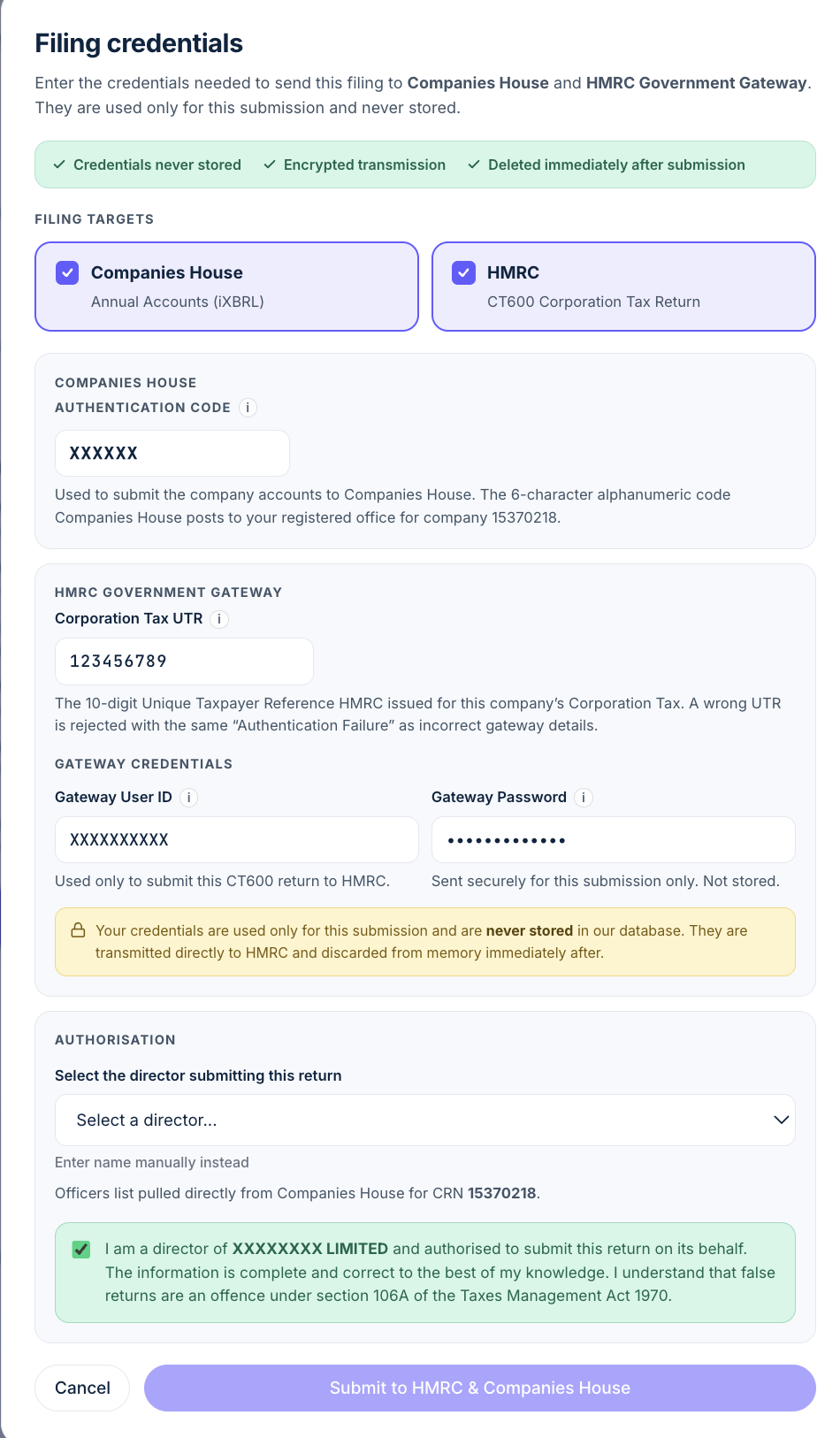
- In the final filing dialog, enter Company authentication code, the six-character company code.
- Complete any separately requested director identity details. A personal code is not a substitute for the company code.
- If filing to HMRC too, enter the UTR and Government Gateway credentials in their separate fields.
At the final filing screen, choose Companies House as a filing destination and enter the company authentication code. When you approve the accounts and select Submit, the platform sends them to Companies House. Support staff do not file them manually. We use the code for that filing and do not store it. If you are filing both destinations, you will also enter the HMRC credentials needed for the CT600.
Read how to choose Companies House, HMRC, or both if you only need to send one part of your annual filing.
5. Keep it safe
Treat the code like an authorisation for your company. Do not share it in an email or with someone you do not trust to make filings. If you think it has been compromised, use Companies House WebFiling to change it. A new code cancels the old one.