How to prepare CIC accounts and a CIC34 report for Companies House
Short version. SimpleCompanyTax files your CIC's CT600, tax computation and accounts with HMRC. Complete a CIC34 report with us and download a ZIP containing your accounts and report. You upload that package yourself through the Companies House CIC accounts service and pay Companies House its separate £15 fee. This guide shows each step with fictional sample entries.
1. Select your CIC company
Start a filing for the CIC and check that you have selected the right company name and number. We read its community interest company marker from the Companies House record. There is no extra CIC declaration to complete. This service supports eligible micro-entity companies limited by shares or by guarantee. See our supported company types and filing scope.
2. Find the CIC34 section on Financial Data
Complete your prepared figures on Financial Data. For a trading CIC, scroll past Profit & loss, Tax adjustments and Director’s loans and section 455 tax. Open CIC34 report for Companies House, before Balance sheet. A dormant CIC also sees the CIC34 card, without the trading sections.
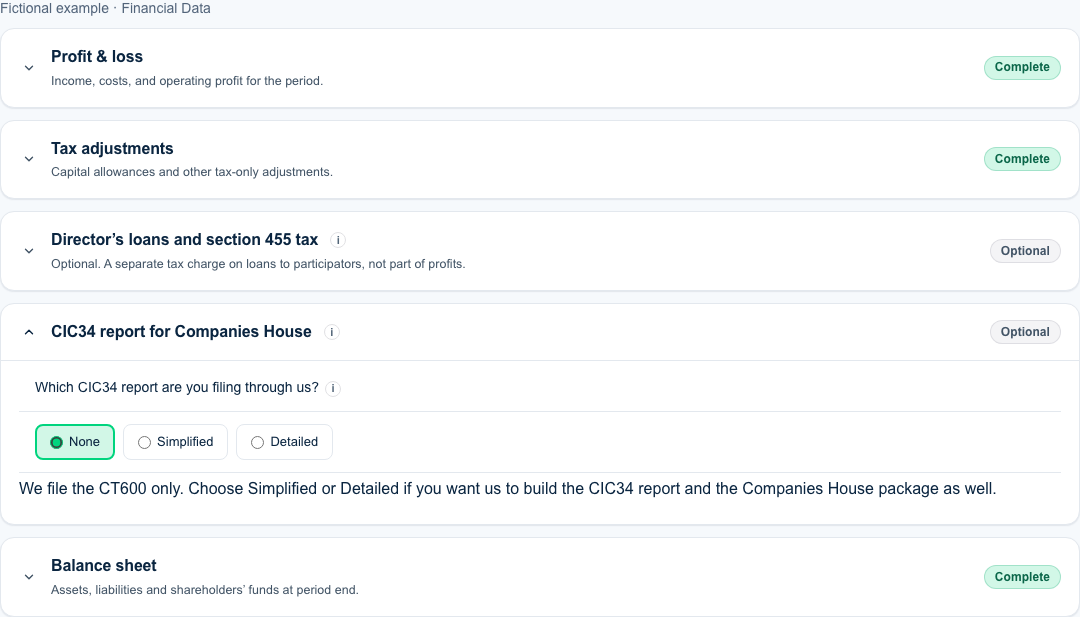
The card shows Optional while None is selected. Choose Simplified or Detailed to prepare the report and package. Read which CIC34 report to choose for the conditions and official guidance. The status becomes Needs attentionwhile required answers are missing and Complete when they are filled in.
3. Complete your CIC34 report
- Which CIC34 report are you filing through us? None, Simplified or Detailed. None is selected to start with: leave it there if you file the accounts and CIC34 with Companies House another way, and we file the CT600 only. Choose Simplified or Detailed and the questions below appear. See simplified or detailed CIC report. You can go back to None at any time before you file. Your other answers are kept.
- Part 1: activities and community benefit. Required. Describe in your own words what the company did in the year and how the community benefited.
- Part 2: were stakeholders consulted? Yes or No. Required. If Yes, an optional box takes who the stakeholders are, how you consulted them and what happened as a result.
- Part 3: did the directors receive remuneration? Yes or No. Required. If Yes, an optional box takes the total in whole pounds.
- Part 4: were any assets transferred for less than full value? Yes or No. Required. If Yes, an optional box takes the details.
- Part 5: were dividends declared or proposed for this financial year? and Part 6: was interest paid at a performance-related rate? Yes or No, both required, and both shown only when you chose the Detailed report. A dividend declared only in an earlier year is answered No here. The Part 6 details box is always available on the detailed report, so you can describe a debt or debenture on which a performance-related rate was payable even if nothing was paid.
- Signing director and Date signed. Required. Choose the director from the company's officers at Companies House, or enter the name by hand. Each answer still missing is marked “Required” in red once you start the card.
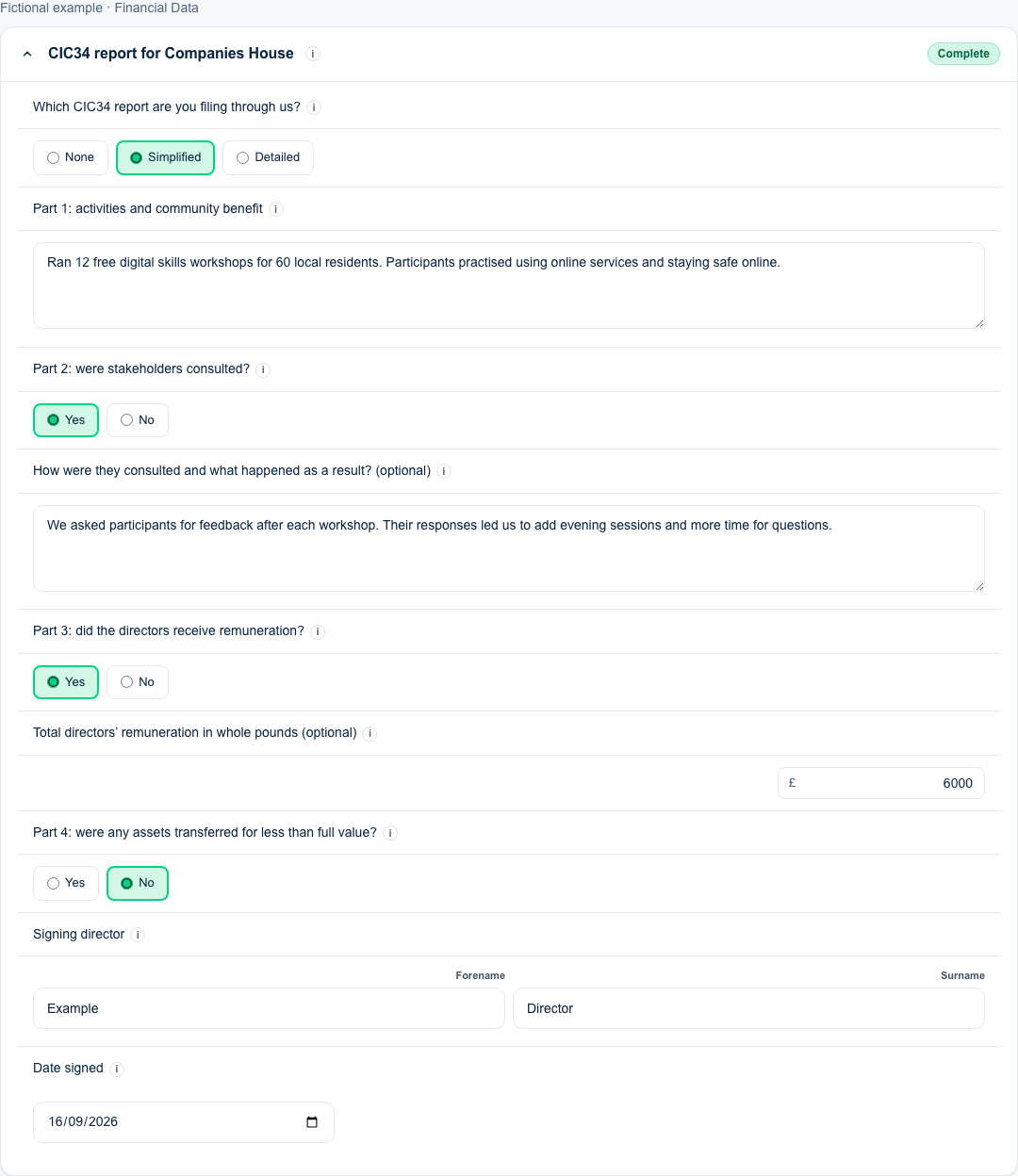
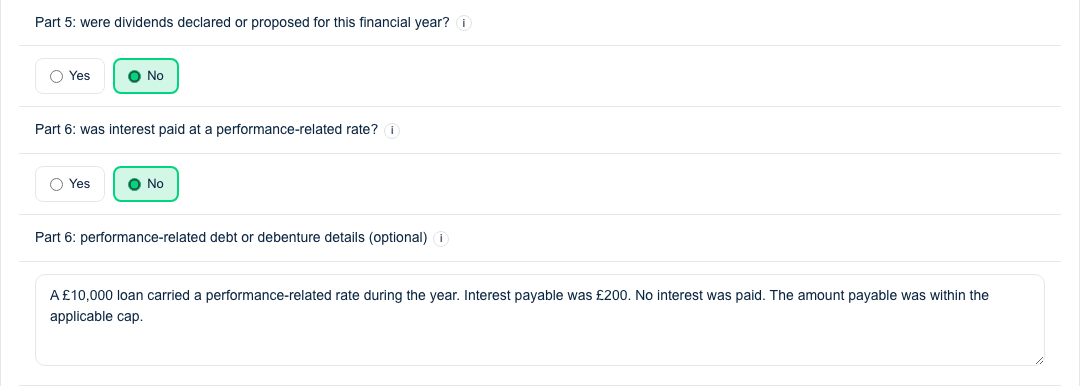
You can change any answer before you file. Four detail boxes belong to a Yes answer: the consultation details, the directors' remuneration total, the asset transfer details and the dividend details. If you change that Yes to No, the box disappears and whatever you had typed in it is left out of the report. Change it back to Yes and the text you entered is there again. The Part 6 box is the exception: it stays on the detailed report whatever the interest answer, and what you type there is always included.
4. Review your documents and publication choice
Select Next to reach Review & Submit, then select Review filing. Check your filing details and documents on the review page. HMRC is the filing target for a CIC. You upload the Companies House package yourself. Directors must approve the accounts before they are filed with Companies House. Select Preview your documents (free), or Preview documents before submitting if you already have a subscription. You can read the CIC34 report as a PDF in your generated documents. When you are ready to file, use Continue to submission on the review page and complete the submission steps.
Choosing what the package shows
Once the CIC34 answers are complete, the review page shows a card called “Your Companies House package” with the heading “Profit and loss account on the public record” and two options: “Do not publish the profit and loss account”, which is the default, and “Publish the full accounts, including the profit and loss account”. Your choice decides which accounts go into the ZIP. HMRC always receives the full accounts. The submission window repeats the choice you made. If you continue to file from a preview, the preview's choice is kept: to change it, return to review and generate a new preview. If you chose to publish and that option is no longer available when you come to file, the filing page says so and offers “Return to review”: generate a new preview with an available choice. A dormant company has no profit and loss account, so the card does not appear.
5. Download your Companies House package
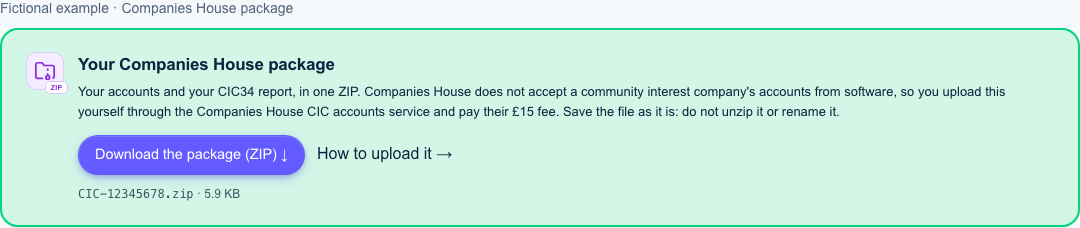
After filing, open the filing page and find Your Companies House package above the HMRC summary. Select Download the package (ZIP). Save the file as it is. Do not unzip or rename it. Its filename is CIC- followed by your company number and .zip. It contains your accounts and CIC34 report in iXBRL format. A preview lets you review documents, but does not provide the final package download.
6. Upload your CIC accounts and report to Companies House
- Download the package from the filing page and save it as it is. Do not unzip it or rename it.
- Open the Companies House CIC accounts service and sign in to, or create, your Companies House account.
- Enter the company number and the company authentication code.
- Choose package accounts and upload the ZIP file.
- Follow the service through to submission and pay the £15 fee by debit or credit card. The filed accounts and CIC34 report appear on the public record.
Keep the confirmation Companies House sends you. Your filing page shows the HMRC status only. For a CIC it never shows a Companies House status, because that filing is yours.
If you do not see the section
Check the company selected for this filing. The CIC34 card is only for companies whose Companies House record carries the community interest marker. It is also absent when you are filing only the remaining CT600 without accounts, because there are no accounts to package. See filing only the second CT600. If you can see the card but no questions, change None to Simplifiedor Detailed.
Sources
This guide is general guidance, not tax or legal advice. The package layout and the mandatory items come from the Companies House Technical Interface Specification for Accounts (version 5.9, Appendices A and B), the fee and the steps from the Companies House CIC accounts service, and the report content from the form CIC34 publication. See also community interest companies: the CT600, the CIC34 report and Companies House.